
 Contact us

September 22,2026
11 Signs Your Website Needs a Support Contract

Almost nobody goes looking for a website support contract on a quiet Tuesday. They go looking after something has gone wrong, usually a site that’s been down since Saturday morning or a checkout that quietly stopped taking payments three days ago.
By then you’re not choosing a support partner. You’re choosing whoever happens to pick up.
The signs almost always show up long before that point, and they’re easier to spot in someone else’s business than your own. Below are the ones we run into most often when businesses come to us, whether they’ve never had support, have been quietly managing it themselves, or have an agency who stopped returning calls sometime last spring.
The short version: you probably need a website support contract once your site is bringing in enquiries or revenue and nobody is clearly responsible for keeping it updated, backed up and monitored. The most common warning signs are a supplier who’s gone quiet, pending updates you’re afraid to click, no backup anyone has ever tested, and small jobs that never get done because asking has become a hassle.
How you’re currently being supported
We’ve put these first on purpose. When businesses call us, this is nearly always what they open with, and it’s rarely anything to do with technical ability.
1. You call, and nobody picks up
This is the single most common thing we hear, and it’s worth saying plainly: being good at the work counts for very little if the client can’t reach you.
When Byretech were looking for a new supplier, their managing director Steve Dalloway put it plainly. Plenty of companies say they can help, but few actually answer the phone or reply to emails.
“We called, left a message and within 24 hours we got a call back.”
Returning a phone call inside a day shouldn’t be worth putting in a testimonial. The fact that it was says more about the industry than it does about us.
If you can’t get hold of your web supplier when something’s broken, nothing else about them really matters.
2. A project has stalled and you can’t get a straight answer
One of Byretech’s two sites was mid-build and had ground to a halt because their previous supplier had stopped communicating. We see this more often than you’d think, and it’s very rarely about capability. It’s usually a supplier who has moved on to more interesting or more profitable work and would rather go quiet than say so.
If you’ve been chasing updates for months on something that should have launched in spring, the relationship is effectively over. Nobody has said it out loud yet.
3. Every small change comes with a quote

If updating a phone number or swapping a staff photo triggers an hourly billing conversation, you’ll stop asking.
Most people do.
That looks like a cost saving on paper. In practice it’s a website that slowly stops matching the business it’s supposed to represent, which costs a good deal more than the fifteen minutes you saved.
4. You’ve no idea where your last request got to
This is less about software and more about whether anything is being tracked. If requests go into an inbox and nothing comes back out, there’s no record of what you asked for, no way to see where it is, and no way to tell whether it’s been quietly forgotten. Things slip, and neither side can prove it.
What you want is both halves. A system that logs your request and shows you where it’s got to, and an actual person who knows your site and picks up when you ring. A ticket number on its own gives you a reference to know your request has been received and something to use for reference.
5. Only one person knows how your site works
If your website depends on a single freelancer, or one particular developer at an agency, you have a single point of failure.
When they go away for two weeks, change jobs or simply stop replying, you’re left with a website nobody can safely touch. We’d say the same about ourselves, incidentally: if only one person here knew how your site was put together, that would be a problem worth raising with us.
Issues with the website itself
These are the ones people are less likely to notice on their own, partly because nothing looks wrong until it very suddenly does.
6. There’s a number next to “Updates” in your dashboard, and you’ve been ignoring it
Every pending update is a security patch you haven’t applied. WordPress, WooCommerce and plugin developers release these updates to patch out vulnerabilites in the software. This now means that these vulnerabilities are now public knowledge and anyone who wants to exploit them can do so.
Most people put them off for a perfectly understandable reason. The last time they clicked update, something broke.
That’s a fair concern, and it’s exactly the argument for testing updates on a private copy of the site first, where you can see what breaks before your customers do. But being afraid to update isn’t a position you can hold indefinitely. The risk just accumulates quietly while you’re not looking.
7. Your site has got slower, and you’re not sure when
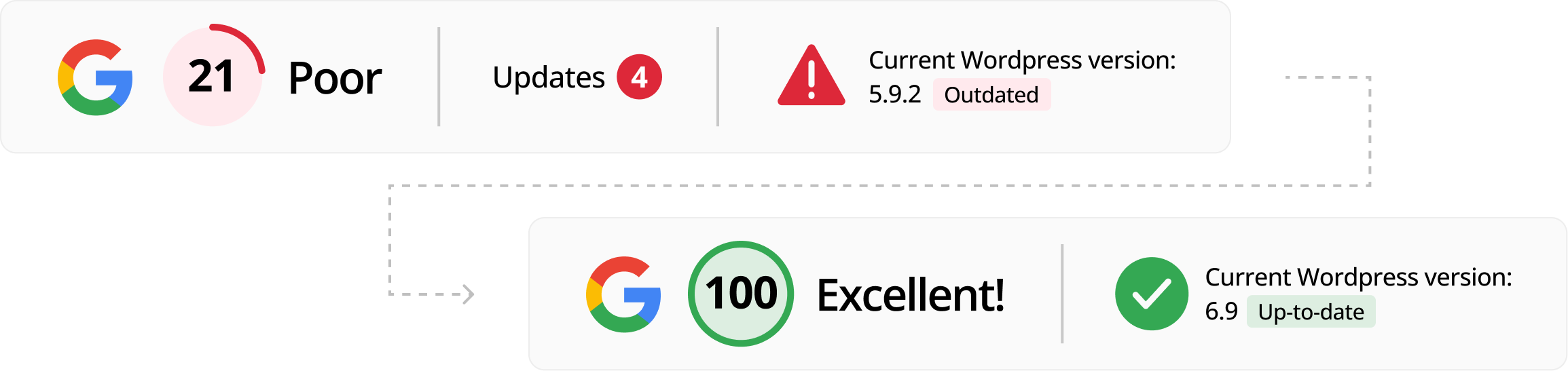
Sites rarely slow down overnight, generally slow down over time. A plugin added here, an unoptimised image there, a database nobody has tidied in four years. You stop noticing because you’re watching it happen in slow motion, and because your own browser has helpfully cached half of it.
Your customers have no such advantage. On ecommerce sites the link between page speed and conversion is direct and very well documented.
Portent looked at 27,000 landing pages across 100 million page views and found online stores loading in one second converted at 3.05%, against 1.12% for those taking three seconds. Just as a note on these findings, as this isn’t comparing like for like. A fast site will tend to be well-built, some of this could be down to elements outside of the website’s speed.
Another case study is Vodafone’s A/B test, where they made the main content of the page appear 31% faster and measured 8% more sales against a control group, showing that the speed makes an invariable difference to the bottom line.
When we took over Byretech’s Sleep Earthed store and moved it onto our own hosting, the speed improvement was large enough that the managing director put an increase in sales down to it.
[Embed the before/after speed comparison image from the Byretech case study here.]
8. You found out your site was down from a customer
If nobody is monitoring uptime, your first alert is an email or phone call from someone asking whether the site’s meant to look like that. This could be hours after it went down and on an ecommerce site those hours are lost orders.
Automated uptime monitoring costs very little and should be in any decent support arrangement as standard. Without it you’re relying on either yourself or a customer letting you know.
9. You don’t know when your last backup was, or whether it works
This is the one that turns a bad day into a genuinely expensive one. A backup nobody has ever restored isn’t a backup, it’s an assumption.
Two questions worth asking whoever looks after your site.
- Where are the backups actually stored?
- Has anyone ever successfully restored one?
If the answer to the first is “on the same server as the website”, a single server failure takes out both the site and the thing that was supposed to save you.
Worth knowing that backups usually sit with whoever hosts your site rather than whoever supports it, ours included. If those are two different companies, it’s worth confirming who is handling it.
How the company is viewing the site
These are the easiest to miss, because on the face of it they’re not about the website at all.
10. You’ve stopped making changes you know you should make
You’ve been meaning to add the new product range. Update the team page. Fix the copy on the services page that’s been wrong since the January before last.
If the reason you haven’t is that dealing with your website has become a hassle, then what looks like a marketing problem is actually a support problem. Keeping your site current should be one of the easier jobs in your week, not one you keep moving to next week.
11. You avoid thinking about it altogether
Most business owners can tell you when their insurance renews and roughly when the accounts are due. Very few could tell you when their SSL certificate expires – this is the certificate that makes the connection to the website secure and shows the padlock in the address bar.
It might not be your job, but it does have to be somebody’s job and the question who should be taking care of this?
For ecommerce sites, the stakes are higher
Everything above applies more sharply if you’re selling online.
A brochure site going down for six hours on a Friday afternoon is embarrassing, and you’ll get a few emails about it. A WooCommerce store going down for the same six hours has measurable lost revenue.
Online stores also carry far more moving parts.
- Payment gateways
- Shipping integrations
- Stock syncing
- Plugins and extensions
Each one is a dependency that can break when something adjacent to it updates. This doesn’t mean they should not be updated (see point 6), it’s an argument for updates being tested before they are pushed to the live site.
One of our customers, Byretech run two WooCommerce sites with quite different requirements, including a full move from Sellerdeck, an older ecommerce platform, onto WooCommerce.
This sort of set up and work does not work well in an ad-hoc support, it needs someone who knows both sites properly and is still going to be there in six months.
We keep coming back to Byretech in this post for the simple reason that their situation contained most of the signs on this list at once, which is more common than it sounds.

Read the full Byretech case study →
What a support contract should actually cover
“Support” means wildly different things depending on who’s quoting, so it’s worth being specific about what you’re buying.
Ours runs on a set number of hours each month, agreed up front. Those hours cover:
- Proactive work on the site, rather than us sitting waiting for you to report something
- WordPress, WooCommerce and third party add-on updates, including security updates
- Website and server health monitoring, so if the site goes down we know about it before you do
- Version control tracking, which means every change made to your site is recorded and can be put back if it turns out to cause a problem
- Design and development support
- Troubleshooting when something isn’t behaving and nobody’s sure why
- An email and ticket system, so you can log a request and see where it’s got to, backed by people you can actually ring
Backups sit with hosting rather than support, which is normal across the industry, but worth checking if your host and your support company are two different businesses.
One element of our support contracts most people ask about is;
What happens to unused hours?
Support with isev, the unused support hours roll over to the next month. If you don’t need much from us in February, you haven’t lost anything. That’s deliberate, because the alternative is the situation at point three, where every small job turns into a pricing conversation and you quietly stop asking.
If you’re comparing quotes, these are the questions worth putting to whoever you’re talking to:
- Are updates tested on a private copy first, or applied straight to the live site?
- Where are backups stored, has anyone ever restored one, and is that support’s job or the host’s?
- Is anything watching the site while nobody’s looking at it?
- When you ring, who picks up, and can they point you at clients who’ll vouch for how quickly they come back?
- If you don’t use your hours, do you lose them?
What you’re actually choosing between
A support contract isn’t the only option, and it isn’t always the right one. Broadly there are four, and each has a real case.
| Option | Works when | The risk |
|---|---|---|
| Doing it yourself | You test on a private copy, you have backups you’ve restored, and more than one person knows how | Everything depends on one person remembering, and nobody notices for a fortnight when something breaks quietly |
| A freelancer | You want someone who knows your site in detail, at a lower cost | No cover when they’re on holiday, ill, or busy with a bigger contract |
| Your host’s included support | The server is genuinely all you need looking after | Covers the server, not your website. Fine until the checkout breaks and the server is “running normally” |
| A monthly agreement | The site takes enquiries or orders and downtime costs you money | Overkill for a five page brochure site you update twice a year |
Doing it yourself
The cheapest solution and some businesses do it well. It works if you’re comfortable testing updates on a private copy of the site first, you have backups you’ve tested, and more than one person knows what they’re doing.
The risk isn’t that you can’t update yourself, it’s that everything depends on one person remembering and that nobody notices if something breaks quietly.
A freelancer
Often excellent value and frequently better than a large agency at knowing your site in detail. The trade-off is availability. One person can’t monitor a site while they’re on holiday and if they pick up a big contract elsewhere you’re back where you started.
Whatever your hosting includes
Many hosting companies bundle something they call support as part of the service. Usually that covers the server support, rather than website support.
If the server is fine, but your checkout is broken, that distinction matters enormously and tends to be discovered at the worst possible moment. Worth reading what’s actually included as part of the support.
Ongoing monthly agreement with an agency
More expensive than the others and the honest case against it is that if your site is a five page brochure you update twice a year, you’re paying for attention you don’t need.
The point at which it starts to pay for itself is when the website is doing a job. Taking enquiries, taking orders, being the thing a prospect checks before they call you.
At that point the cost of it being broken for a day is usually larger than a year of maintenance, and reactive fixing works out more expensive than keeping on top of it.
Frequently asked questions
How do I know if I need a support contract or just occasional help?
If your website generates enquiries or revenue, ongoing support is worth it. Ad-hoc help is fine when the site is a brochure you rarely touch. Once it’s part of how the business actually operates, fixing things reactively tends to cost more than maintaining them.
Can’t I just do the updates myself?
You can, and some businesses do it well. The risks are that updates go live untested, that nobody notices when something breaks, and that the whole thing depends on one person remembering. If you’re comfortable with a private test copy of the site and you have backups you’ve actually restored, doing it yourself is perfectly viable. Most businesses aren’t set up that way.
What should a website support contract cost?
It depends on the size and complexity of the site and how much is included. An ecommerce store with payment, shipping and stock integrations needs a lot more attention than a five page brochure site. Be wary of anything that looks unusually cheap, because it normally means updates get applied without testing, or that nothing happens at all until you report a problem.
We already have an agency but they’re slow to respond. Is it worth moving?
Switching suppliers feels like a much bigger job than it usually is. A competent agency handles the move with minimal downtime, and Byretech moved two live ecommerce sites across without interrupting sales. If you’re routinely chasing for replies, that isn’t going to fix itself.
Will I lose control of my website?
No, and you shouldn’t accept an arrangement where that’s a risk. You should own your domain name, your hosting account and your website. A support partner works on your site, they don’t get to hold onto it.
Isn’t this the same as hosting?
No, though they’re often sold together. Hosting is the server your website sits on. Support is somebody looking after the website itself. A host will usually tell you the server is running fine, which is little comfort when the problem is your checkout.
What happens when we take a site over
The thing that puts people off switching is not knowing what they’re walking into. So before anything moves, we look.
We ask for access to the site’s admin and go through it properly. What’s running, what’s out of date, what’s been bolted on over the years, and whether anything needs sorting before a migration rather than after it. On an ecommerce site that matters a lot more, because a plugin conflict found halfway through a move is a far bigger problem than one found the week before.
That review tells you two things most people don’t currently know. What state the website is genuinely in, and what work it actually needs rather than what somebody would like to sell you. You get an honest answer to both whether or not you go ahead with us.
With Byretech, that groundwork is the reason two live WooCommerce sites moved across without interrupting sales.
If several of these sound familiar
Most businesses recognise three or four, and that’s completely normal. It usually doesn’t mean anything is badly wrong. It means nobody is currently responsible for the things that quietly accumulate when no one’s watching.
We look after WordPress and WooCommerce sites for businesses across Telford, Shropshire and the West Midlands, including full migrations from other suppliers. If you’d like to know where your site actually stands, we’ll run a website health check and tell you what we find, including the things you won’t want to hear. No obligation either way, and we can start without admin access if you’d rather see what we’re like first.